What an IGES file is
IGES was the first widely used format for passing CAD geometry between programs. It dates from 1980, and its last version was published in 1996. The file is text in lines of exactly 80 characters, a layout inherited from punched cards.
It describes curves and surfaces precisely, as STEP does. What it was not built around is the solid: most IGES files hold the faces of a part as separate surfaces.
It is still in use because old systems and some toolmaking and machining shops ask for it.
IGES and STEP
| IGES | STEP | |
|---|---|---|
| Usually holds | Separate surfaces | Solids |
| Assemblies and part names | Rarely | Yes |
| Still developed | No, since 1996 | Yes |
| Good for | Surfaces for tooling, old systems | Everything else |
If you can choose, ask for STEP. If you were sent IGES, it opens here just the same.
Why IGES models often look open
Take a box. As a solid, it is one closed shape. As IGES, it is typically six rectangles that happen to share edges. Each is meshed on its own, so along an edge the two neighbors need not put their corners in the same places, and hairline gaps appear.
For looking and measuring this does not matter. The viewer shows surfaces from both sides, so nothing appears missing or inside out. It matters when you want a printable mesh: see the question about printing below.
How to open an IGES file
Drop the file anywhere on this page, or choose it with the button. Files ending in .igs and in .iges are the same thing, and both open. Nothing is installed and nothing is uploaded: the file is read in your browser by OpenCascade, the same open-source kernel that FreeCAD is built on.
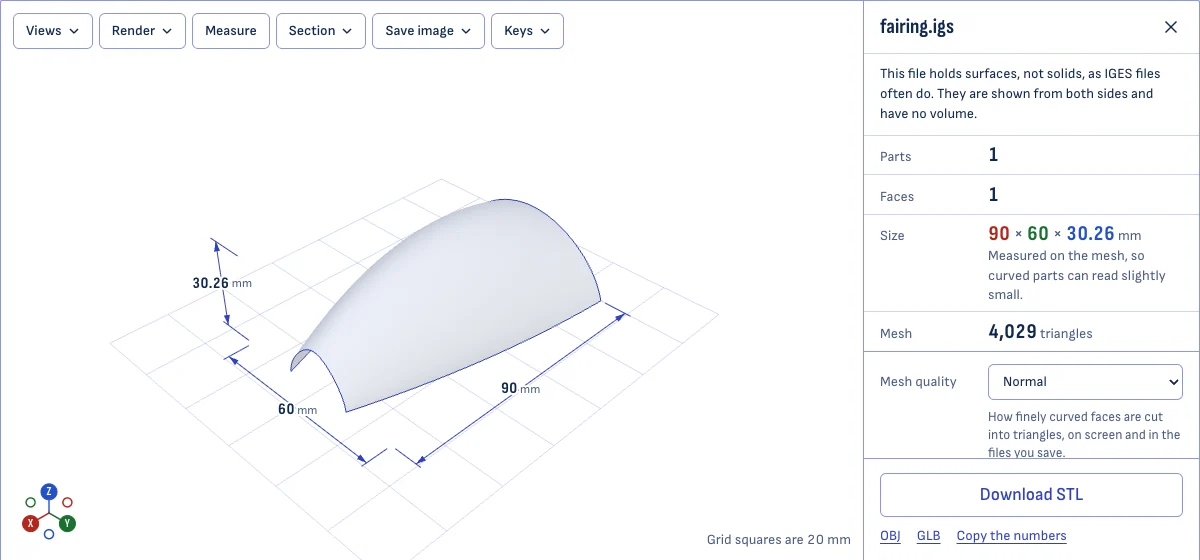
When the file is open, the panel beside the model tells you what is in it:
- Parts and faces. How many separate bodies the file holds, and how many surfaces they are made of.
- Size. The overall length, width and height in millimeters, also drawn on the model as dimension lines. An IGES file names its unit, and a model drawn in inches is converted.
- Volume. Shown only when the file holds closed solids. For loose surfaces there is no volume to give, and the page says so.
- Mesh. How many triangles the surfaces were cut into for drawing.
What you can do with the file
- Look. Turn the model, zoom, switch between perspective and a flat orthographic view, and jump to the front, top or side with one key.
- Cut it open. Section slices the model across any axis, so you can see inside a housing or check a wall.
- Measure. Choose Measure and click two points. Points snap to corners and edges, and you get the distance and its part along each axis.
- Hide parts. A file with several bodies lists them, each with a checkbox.
- Save a mesh. STL for a slicer, OBJ or GLB for other 3D programs, at coarse, normal or fine mesh quality. Only what is shown is saved.
- Save a picture. A PNG of the view, with or without its background.
Getting a solid out of an IGES file
A slicer and most CAD work need a closed solid, and an IGES file often holds only its skin. There are three ways forward, best first.
- Ask for STEP. Whoever sent the IGES can almost always export STEP from the same program. A STEP file keeps the part as a solid, with its name and color. It opens in the STEP viewer.
- Sew the surfaces in CAD. A CAD program can join surfaces that share edges into one shell and turn a closed shell into a solid. FreeCAD, which is free, does this in its Part workbench.
- Print from the mesh. Save an STL here at fine quality and open it in your slicer. Slicers close small gaps between surfaces on import. Check the result in the STL viewer first: it draws every open edge in red.
Questions
Is there a difference between .iges and .igs?
No. They are two endings for the same format, and both open here.
Why does my model have no volume?
Because the file holds surfaces that touch, not a solid. An IGES exporter usually writes each face of a part as a separate surface and nothing that says they belong together. The page reports this when it finds it, and shows the surfaces from both sides.
If you need a solid, ask for a STEP file, or stitch the surfaces together in a CAD program.
Can I 3D print an IGES file?
You can save an STL here, but check it first: a mesh made from loose surfaces often has gaps along the edges where the surfaces meet. Open the STL in the STL viewer, which shows any open edges in red. Most slicers repair small gaps on import.
Are the sizes exact?
They are measured on the mesh, so a round part can read a few hundredths of a millimeter small. Fine mesh quality gives the closest numbers. Point-to-point measuring snaps to corners that lie on the real geometry.
Is my file uploaded?
No. The file is read by OpenCascade, an open-source CAD kernel, running inside your browser.